The Prompt
Similar to Time Flies create Time Flies part II … this time I want to build a UX that is swipable (and also uses keyboard shortcuts like the previous post) … but the UI should look like the screenshot. The days of the week appear vertically & are fixed (they don’t scroll off the screen … the months’ labels do move off the screen but as they do a fixed “this year” label at the top updates with the year the post happens to be from. the blocks reflects days that posts were posted & clicking into one block (or hovering on desktop non-touch devices) would show a list of clickable links for that day. This should work with the data from this actual (Astro-based) blog & be fully functional. Instead of dummy text print this prompt in its entirety inside a blockquote that’s preceded by a medium heading (like h3 or h4) that says “The Prompt” … use that same heading before the artifact you create that says “The Results” … after the display of the articfact include useful info like how to interact with the artifact & what would need to happen to render this at the bottom of all blog posts.

The screenshot that came with the prompt.
The Results
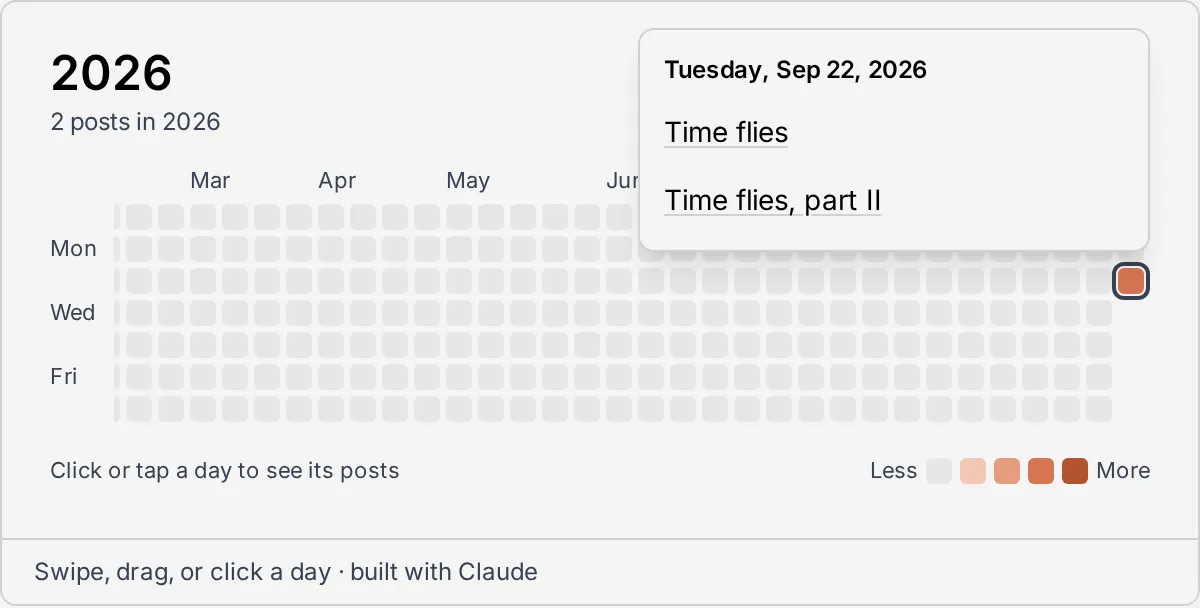
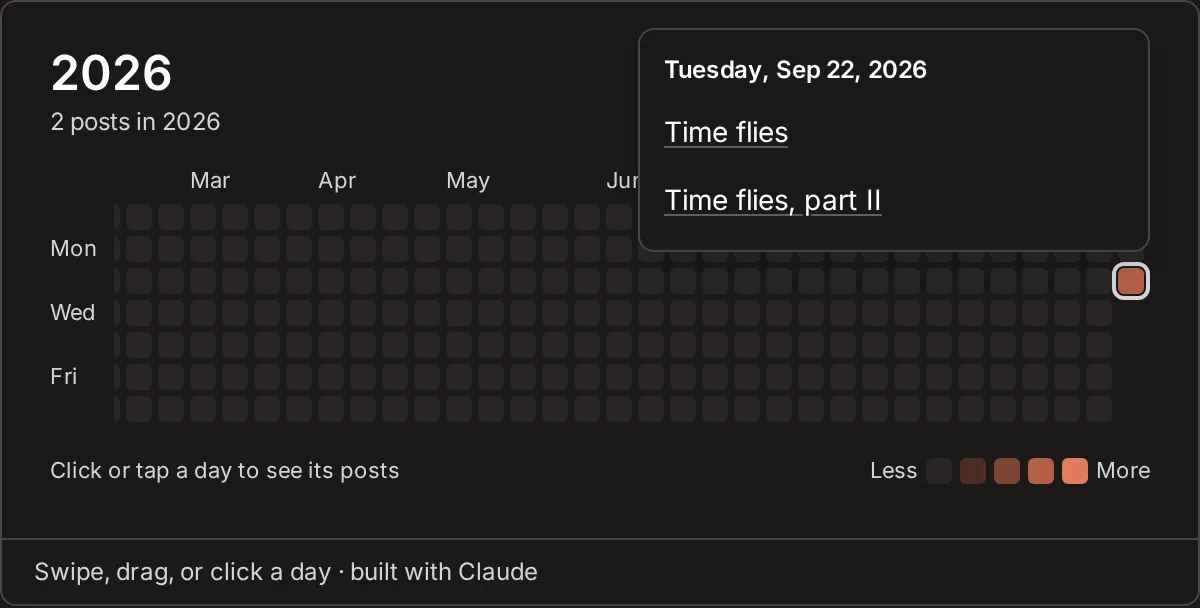
How to use it
These all work on the live heatmap at the bottom of the page.
- Move through time. Swipe on a phone or tablet, drag with a mouse, or scroll sideways on a trackpad. The ‹ and › buttons under the grid jump about half a view, and Today brings you back to this week.
- What stays put. The weekday labels on the left are fixed. The month labels scroll with the weeks. The large year at the top always shows the year of the most recent week in view, with the number of posts from that year, so it flips to the previous year as January scrolls off the right.
- See a day’s posts. Click or tap a square to open its list of posts, then click a title to read one. Click the square again, click anywhere else, or press Esc to close the list.
- Keyboard. Tab into the grid, which starts on today. The ← and → keys move a week, ↑ and ↓ move a day, Page Up and Page Down move four weeks, and Home returns to today. Enter or Space opens the day’s list, Tab reaches its links, and Esc closes it. While a list is open, the arrow keys keep it open, so you can scan day by day.
- Reading the colors. Empty squares are days without a post, and a stronger orange means more posts that day. The grid runs from two years ago (or the first post, if that’s older) through this week. Days that haven’t happened yet are left blank.
Where the data comes from
Nothing here is dummy data. The heatmap is built from this blog’s own list of posts when the site is built, the same list that feeds the blog page and the RSS feed. Every time a post is published the site is rebuilt, so its day lights up on its own. Draft posts only show up on preview builds.
Now at the bottom of every page
The heatmap started out inside this post. It now lives in the site’s footer, so it shows up at the bottom of every page: the home page, the work page, the blog and every post. Here’s what changed:
- It became a shared component.
PostHeatmap.astromoved from this post’s folder intosrc/components/, next to the site’s other building blocks. - It moved into the footer.
Footer.astrorenders it above the copyright line, outside the narrow content column, so it runs the full width of the browser window. On very wide screens it reaches further back in time so the grid always fills the width. - It lost its frame. The border and the “built with Claude” caption from this post are gone, so it reads as part of the page design that happens to link to posts. The ‹ Today › buttons moved under the grid, and the “Click or tap a day” hint moved up next to the year.
- It stays put between pages. The site swaps pages without a full reload, and the heatmap is carried over from page to page, so it keeps its place when you click through to a post.
Performance barely changes. Every page carries a small list of each post’s date, title and link, which is fine for hundreds of posts. At thousands, it would be better to publish that list once as a file the heatmap loads when needed.